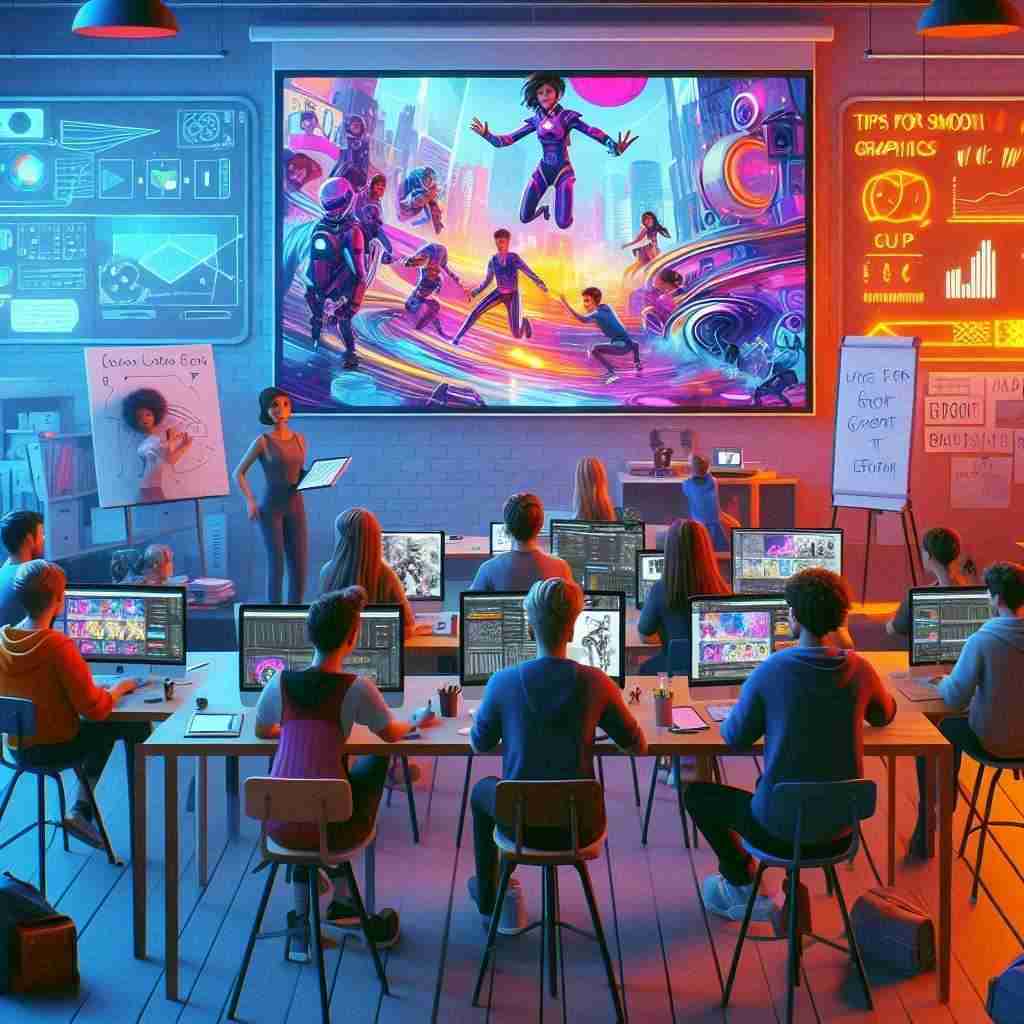
In today’s fast-paced digital world, the way we communicate and express ourselves has changed dramatically. At Bethany High, we believe in equipping our students with skills that matter not just today, but also in the future. One such set of skills is video editing and animation. These aren’t just for budding filmmakers or tech enthusiasts anymore. They’re essential tools for storytelling, collaboration, and creativity – perfect for students of all ages.
Whether it’s creating a fun school project, documenting a community event, or preparing for a career in media, learning video editing and animation opens up a world of possibilities. And yes, it can be a lot of fun too!
What is Video Editing and Animation?
Let’s break it down. Video editing is the process of taking raw footage and turning it into a polished story. It involves cutting, rearranging, adding music or effects, and making it all flow seamlessly.
Animation, on the other hand, is the art of making drawings or objects move. Think cartoons, explainer videos, or those cool graphics you see in digital presentations. Animation can be 2D, 3D, or even stop-motion.
Both skills are about visual storytelling – taking your ideas and bringing them to life through motion and sound.
Benefits of Learning Video Editing and Animation at an Early Age
Why start early? Because young minds are incredibly creative, and these skills help channel that creativity in productive ways:
- Boosts Creativity: Encourages thinking outside the box.
- Improves Communication: Helps students express themselves clearly and visually.
- Builds Confidence: Watching your ideas come alive is a huge confidence booster.
- Teamwork & Collaboration: Many video projects require teamwork.
- Future-Ready Skills: Prepares students for careers in media, design, education, and even business.
And let’s not forget the joy of showing off your own video or animation to friends and family. It’s a proud moment!
Top Tools and Software for Student Animators
Getting started doesn’t mean buying expensive equipment. There are many beginner-friendly tools out there. Here are a few we recommend at Bethany:
- iMovie (Mac) or Clipchamp (Windows): Easy and free video editors.
- Canva: Great for simple animations and video content.
- Kinemaster: A mobile video editing app with robust features.
- Scratch: Perfect for younger students to explore animation basics.
- Blender: A bit more advanced, but great for 3D animation.
We use a mix of these in our classrooms to cater to all levels of learners.
Step-by-Step Guide to Getting Started
Ready to dive in? Here’s a simple plan we follow with our students:
- Choose Your Project: It could be a short story, a science explainer, or a fun ad.
- Write a Script: Planning is key to great storytelling.
- Create a Storyboard: Sketch out your scenes and visual ideas.
- Gather Your Assets: Images, videos, music, or drawings.
- Start Editing: Use your chosen software to piece it all together.
- Add Sound and Effects: Music, narration, or animations.
- Review and Improve: Always go back and make it better.
- Share It: Present your work in class or upload it to a private school channel.
Basic Video Editing Tips
Here are a few student filmmaking tips we love sharing:
- Keep it short and sweet – Attention spans are short!
- Use music wisely – It can set the mood but shouldn’t overpower.
- Don’t overdo effects – Less is more.
- Always save your work – Trust us, it’s a lifesaver.
Introduction to Animation Techniques
Animation can be as simple or as complex as you want. For beginners, start with:
- Frame-by-frame animation: Create images that change slightly from one to the next.
- Tweening: Let the software do the in-between work for you.
- Stop-motion: Use real objects and photograph each movement.
These techniques teach patience, timing, and planning – important skills in all areas of life.
Enhancing Creativity Through Digital Media
Our students often discover new sides to themselves through creative digital skills. It’s not just about learning software – it’s about finding your voice.
Through projects that involve digital storytelling, we’ve seen shy students bloom, and tech-savvy ones find new challenges. Animation and video editing offer a fresh way to explore academic topics too – imagine explaining a science concept through a short animated film!
Real-Life Applications of Video Editing and Animation
These aren’t just classroom exercises. Students use their multimedia skills to:
- Create content for school events.
- Design digital portfolios.
- Participate in national competitions.
- Start their own YouTube channels.
- Collaborate on community awareness campaigns.
It’s exciting to see how creative media education can shape future storytellers, entrepreneurs, and educators.
Success Stories of Students Excelling in Multimedia Arts
At Bethany, we’ve had students who started with a simple class assignment and went on to win accolades. One of our Class 10 students recently created a documentary about environmental conservation that won an inter-school media award.
Another group teamed up to make an animated explainer video on water conservation, which was used during our annual Science Fest. These stories show that with the right guidance, students can achieve amazing things.
Conclusion: Unlocking Creative Potential Through Digital Skills
We’re incredibly proud of the talent and enthusiasm our students bring to the world of video editing and animation. As a Junior College in Bangalore, we believe in fostering talents beyond textbooks, and multimedia arts is just one of the many ways we prepare students for the future.
So if your child loves storytelling, drawing, or just tinkering with tech, encourage them to explore this world. And if you’re looking for a school that nurtures such creativity, we’re here to help them shine!
FAQs
What is the best age to start learning video editing and animation? We recommend starting as early as middle school. Younger students can begin with simple tools and concepts.
What software is recommended for beginner students? Apps like Kinemaster, Canva, Scratch, and iMovie are excellent for beginners.
What career opportunities can arise from learning these skills? Students can pursue careers in film, animation, digital marketing, education, content creation, and more.
How do video editing and animation enhance student creativity? They provide new ways to tell stories, solve problems, and express ideas visually and interactively.
Ready to get creative? Come explore your child’s potential with Bethany’s creative programmes in video editing and animation. We’re excited to see what they can create!